FEATURES
DYNAMIC SCENARIOS

Create and Configure Dynamic 3D Scenarios

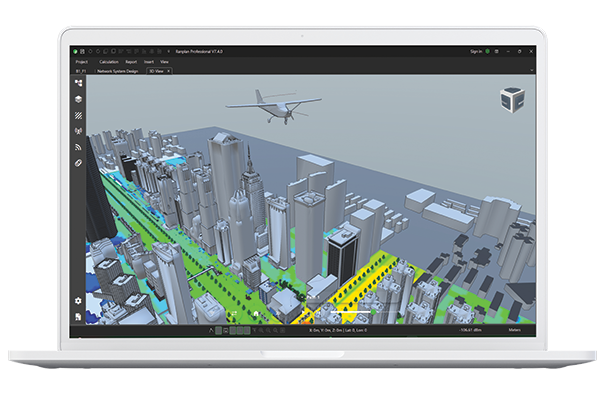
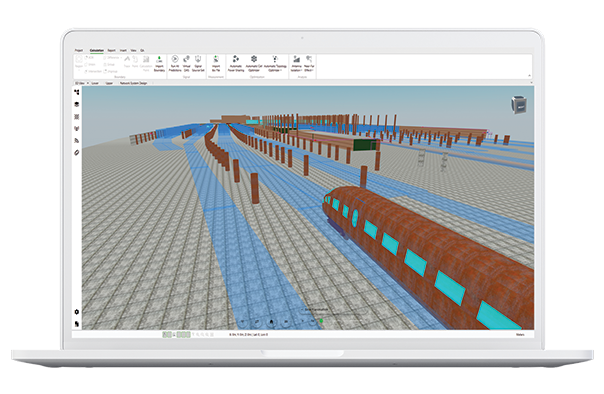
Move beyond static wireless simulations by introducing moving objects and terminals into detailed 3D environments. Create realistic scenarios involving vehicles, machinery and wireless devices. Define movement paths and timelines to investigate how different operating conditions influence radio propagation.

  • Model Moving Objects: Introduce vehicles, machinery, small cells and wireless terminals into 3D environments.
  • Configure Movement Paths: Define trajectories and timelines to represent mobility patterns and operating scenarios.
  • Investigate Environmental Changes: Explore how changing object positions influence radio channel characteristics.


digital-twin-plane
SIMULATION

Simulate Time-Varying Radio Channels

Analyse how wireless channel characteristics evolve as objects and terminals move through a 3D environment.

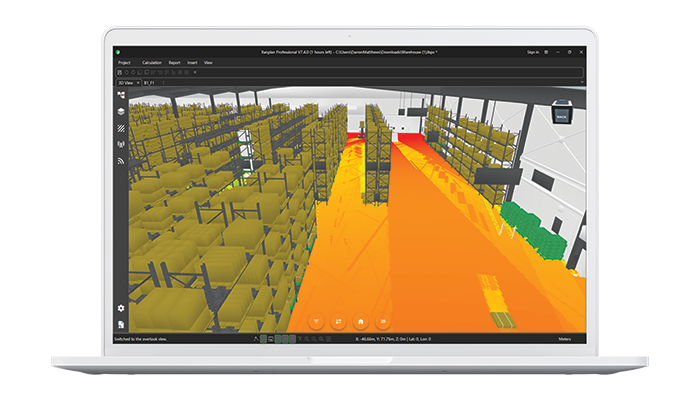
Powered by Ranplan's GPU-native Castor engine, Dynamic Scene Simulation uses physics-based 3D ray tracing to calculate radio propagation across successive simulation frames.

By capturing changes in propagation paths and multipath behaviour, engineers and researchers can investigate the effects of movement on wireless communications and gain a more detailed understanding of time-varying radio channels.

ANALYSIS

Visualise and Analyse Channel Behaviour

Examine detailed radio channel characteristics throughout a dynamic simulation, using playback, advanced analytical outputs and data export for further investigation.

  • Simulation Playback: Visualise dynamic scenarios and review channel behaviour across successive frames.
  • Power Delay Profiles (PDP): Analyse multipath propagation and the distribution of received signal power across different delays.
  • Delay-Doppler Spectra: Investigate how movement influences channel characteristics across time delay and Doppler frequency.
  • Angular Spectra: Examine the directional characteristics of multipath propagation.
  • Cross-Polarisation Analysis: Evaluate polarisation-related channel behaviour using cross-polarisation ratio results.
  • Export Simulation Data: Export channel results for further processing, comparison and research.


FAQs

Frequently Asked Questions

What is dynamic scene simulation?

Dynamic scene simulation models changes within a 3D environment over time and calculates how those changes affect radio propagation. It enables engineers and researchers to investigate wireless channel behaviour in scenarios involving moving objects and terminals. 

How does dynamic scene simulation differ from static wireless simulation?

Static simulations calculate radio propagation within a fixed environment. Dynamic scene simulation evaluates a sequence of changing conditions, allowing users to analyse how radio channel characteristics evolve over time. 

What types of movement can be simulated?

Users can model moving vehicles, machinery, small cells and wireless terminals using configurable paths and timelines to represent different mobility patterns and operating scenarios. 

What simulation results are available?

Ranplan Castor provides simulation playback and detailed channel analysis, including power delay profiles, Delay-Doppler spectra, angular spectra and cross-polarisation characteristics. Results can also be exported for further processing and research. 

Who is Castor Dynamic Scene Simulation designed for?

It is designed for wireless engineers and researchers investigating radio propagation in changing environments, including industrial wireless networks, mobility scenarios, wireless digital twins and 5G/6G research. 

How can I access Castor Dynamic Scene Simulation?

Dynamic Scene Simulation was introduced with Ranplan 7.4 and is available as a licensed Castor add-on. Contact the Ranplan team to discuss licensing and access requirements. 

Explore Castor Dynamic Scene Simulation to analyze time-varying wireless channel behaviour with 3D ray tracing

Laptop-PRO-HIGH-RES-train-2